Fixate:Midrange
Intelligent Midrange Correction
Solve Midrange Problems
Melody, harmony, texture, ambience... all fighting for space in the midrange, all causing problems. Fixate:Midrange clears the mud, tames the harshness, and restores balance to the busiest region of your mix. Just Analyze, Fix, and wonder why midrange was ever hard.
Six Problems. Six Knobs. Zero Guesswork.
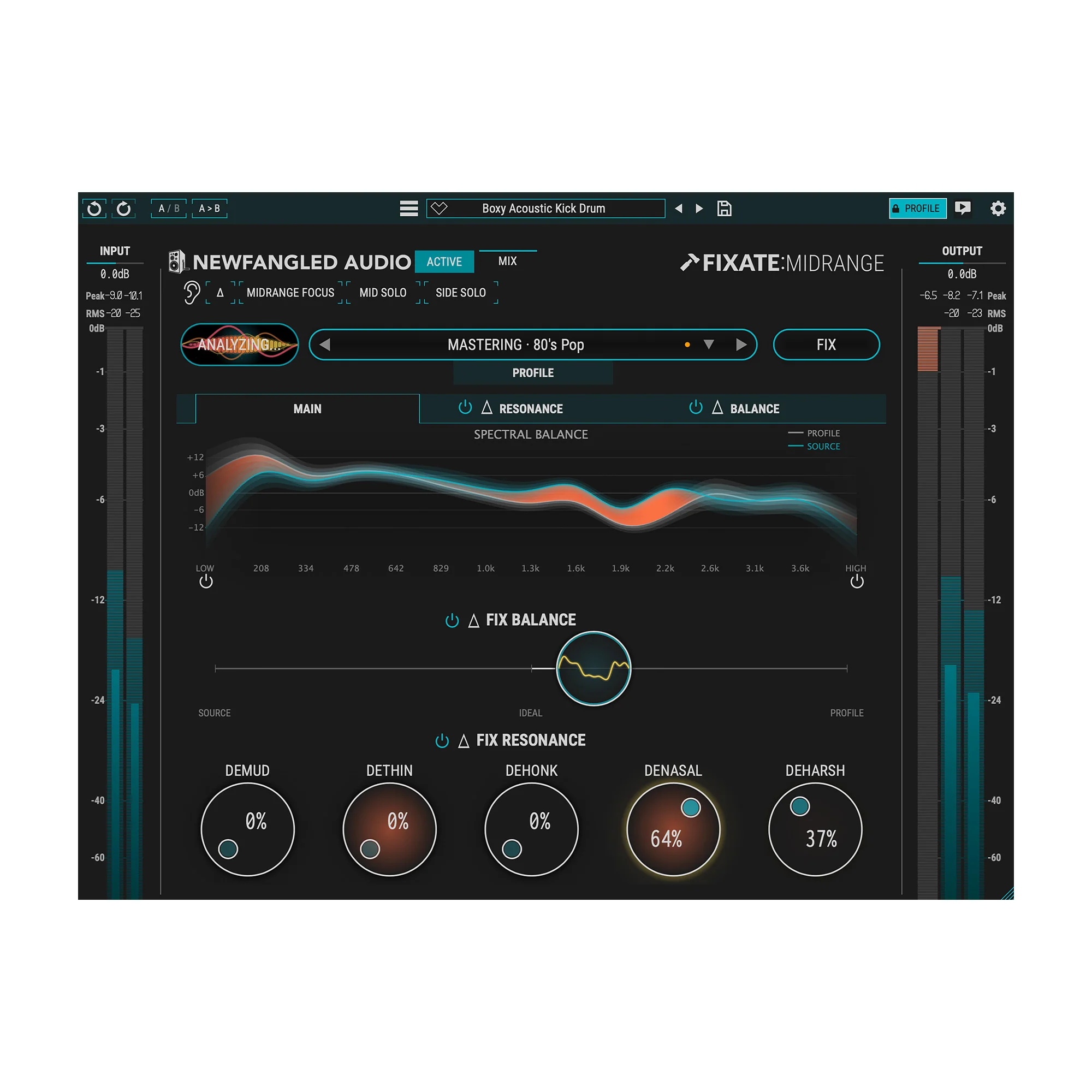
Mud. Thinness. Honk. Nasalness. Harshness. Spectral Imbalance. Fixate:Midrange targets the six most common midrange issues, each with a dedicated intelligent processor. Every correction is dynamic and signal-dependent, activating only when a problem is detected.
Fixate At-A-Glance
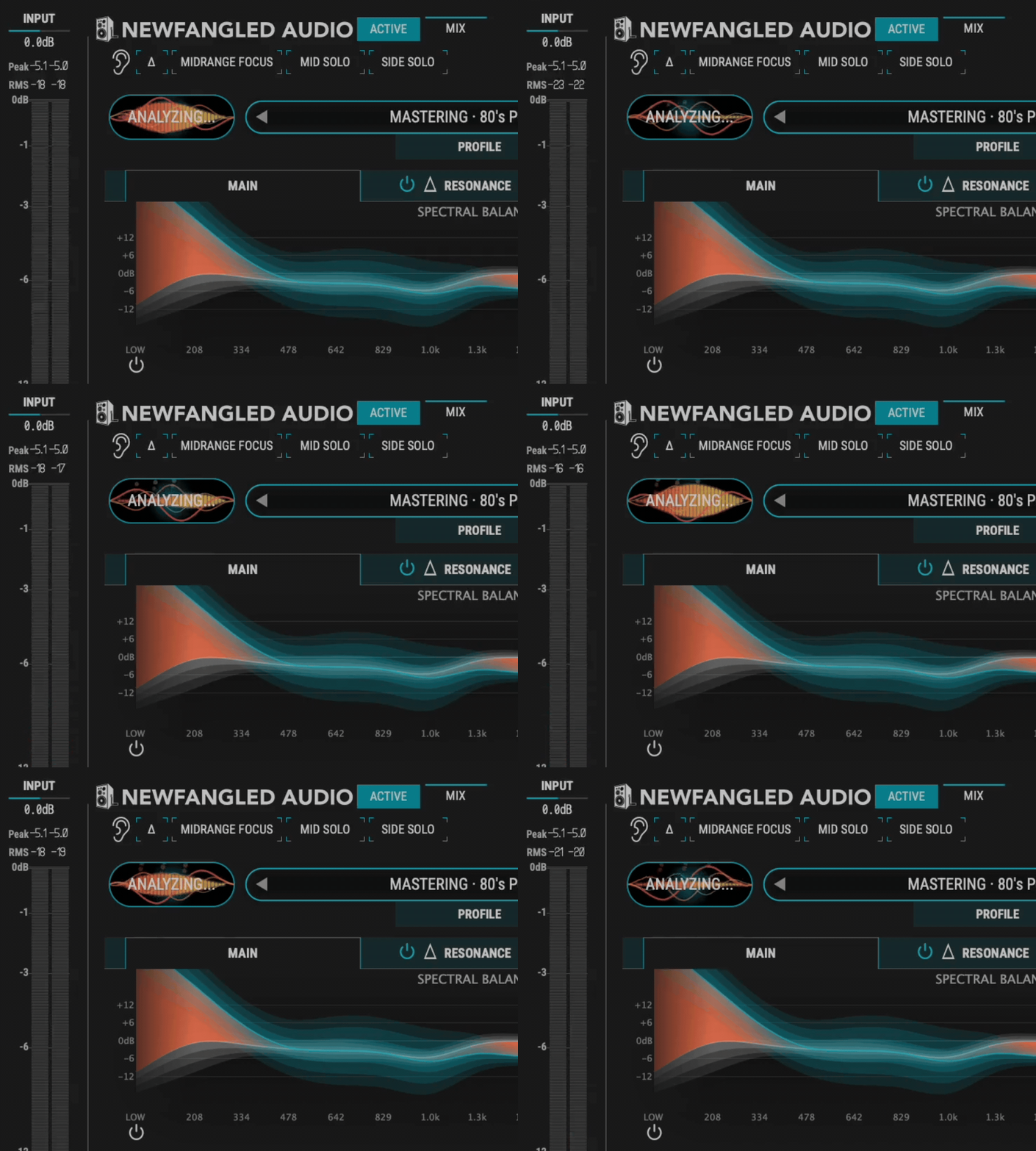
Analyze. Fix.
Two steps to a polished midrange: Fixate listens to your track, finds the problems, and fixes them with one click. No tweaking, no guessing, no deep menu diving. Just results.
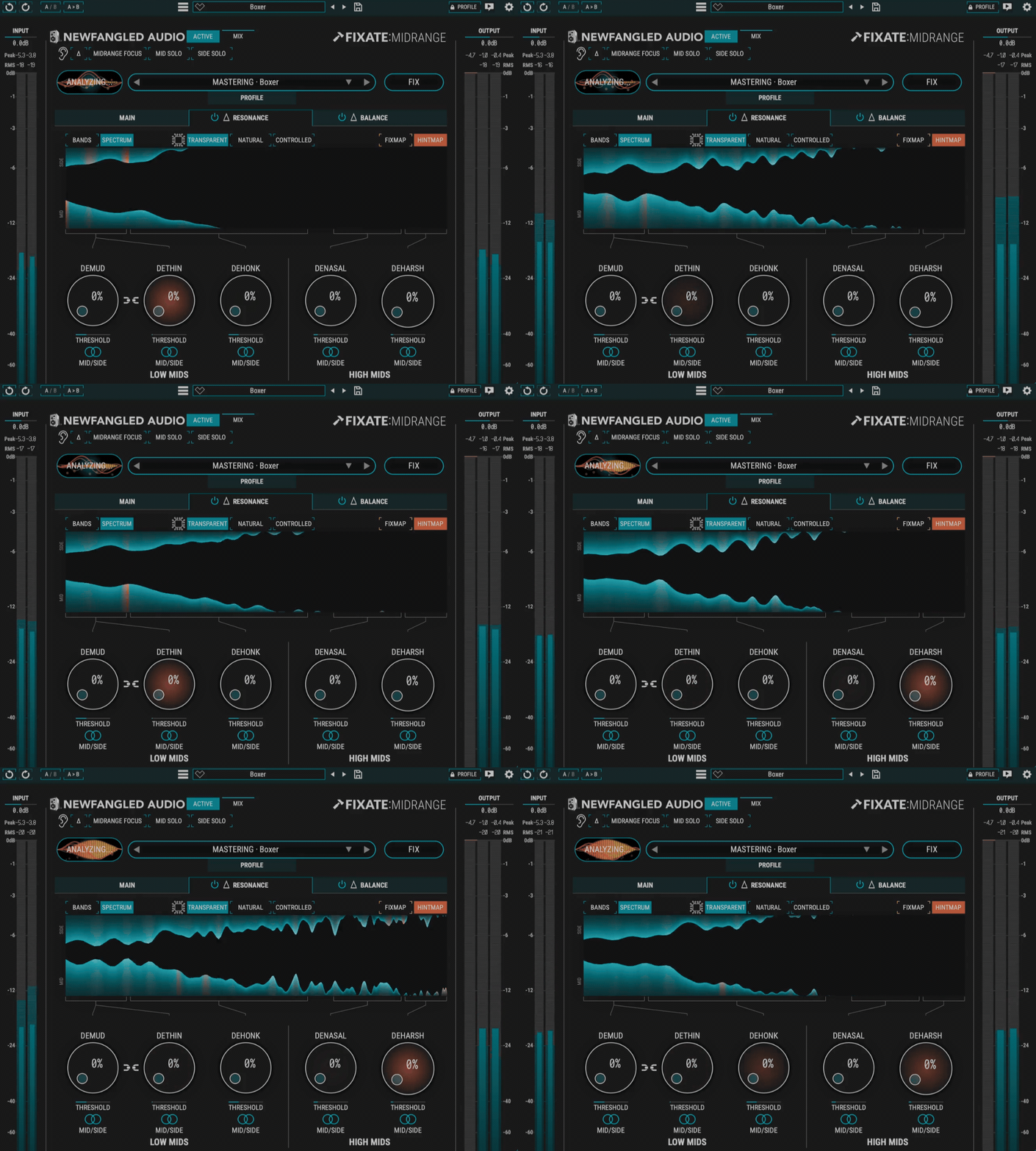
See the problem. Hear the solution.
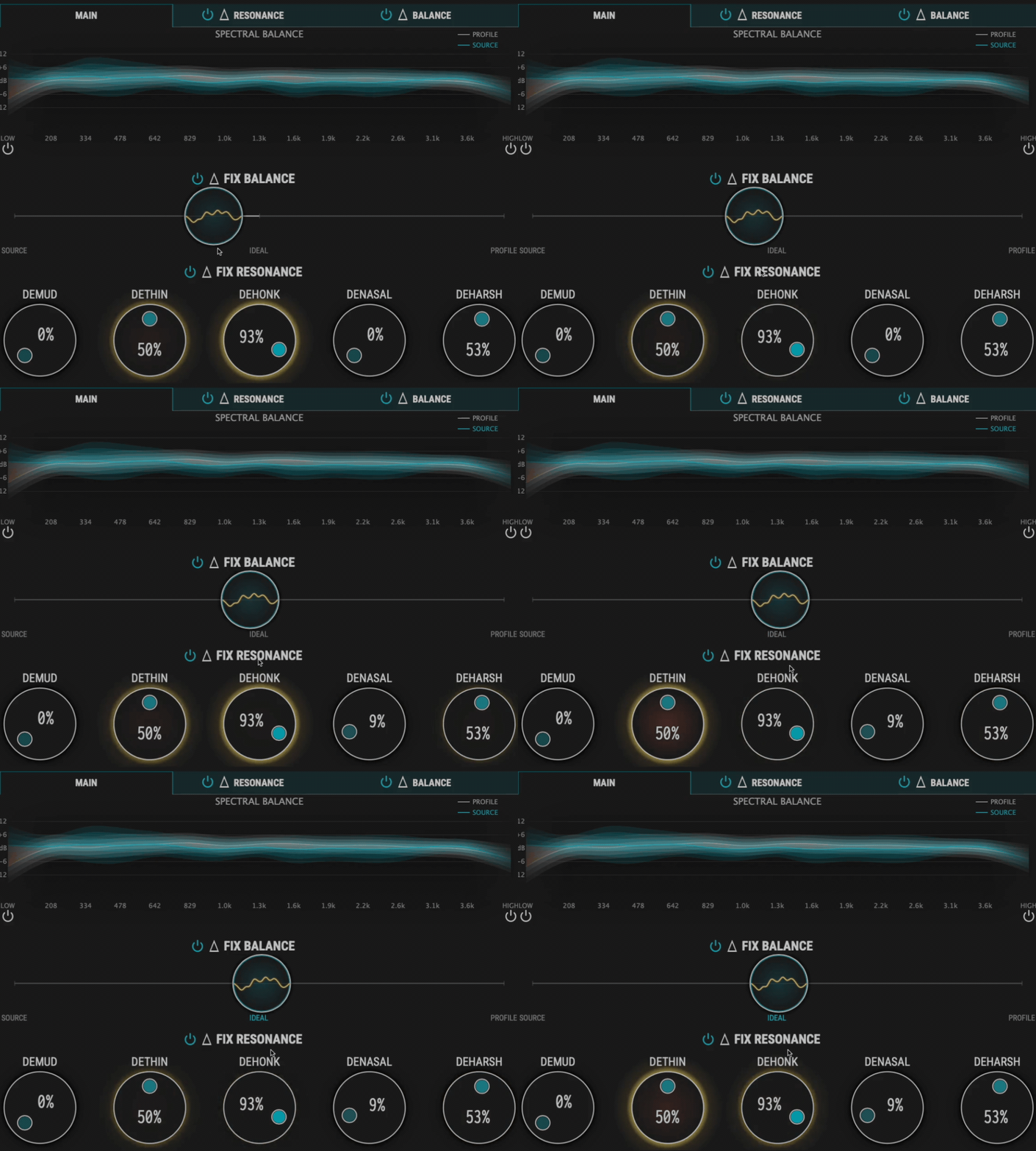
Prefer to drive? Visual hints highlight problem areas across the plugin on knobs, meters, and throughout the interface. Use them to guide your ears to the perfect result.
Find the Balance.
Your mix has a sound. Fixate keeps it. The Balance section preserves character while refining the tone for professional results. The result isn't a different mix, it's your mix, polished.
Not Just for Mastering.
Fixate:Midrange was built for the master bus, but it doesn't stop there. Apply the same intelligent correction to individual tracks with dedicated profiles for vocals, guitars, and more. Clean up a vocal mix. Tame an unruly guitar bus. Fix dialog.
Features
- Six dynamic processors for Mud, Thinness, Honk, Nasalness, Harshness, and Spectral Balance
- Critical-band resonance detection based on human hearing
- One-button Analyze and Fix workflow
- Real-time HINTMAP visual feedback
- Spectral Balance control across 15 frequency bands
- Profiles for mastering, vocals, guitar, and custom references
- Mid/Side processing
- Per-band solo, enable, and delta monitoring
- Midrange Focus listening mode
- Automatic gain compensation and A/B comparison
- Full preset system with tagging and recall
- Resizable interface with multiple color schemes
System Requirements
macOS 10.14+, Intel and Apple Silicon
AAX 64-bit, AU 64-bit, VST3 64-bit
Windows 10+
AAX 64-bit, VST2 64-bit, VST3 64-bit
An iLok account is required, but no physical dongle is necessary.
We test our desktop plug-ins in Ableton Live, Cubase, FL Studio, Logic Pro, Pro Tools, and Studio One. Our plug-ins should work with any compatible host, however we recommend you download a 14-day demo to check before buying.
Product Information
Product Information
Shipping & Returns
Shipping & Returns
Fixate:Midrange
Fixate:Midrange
Intelligent Midrange Correction
Solve Midrange Problems
Melody, harmony, texture, ambience... all fighting for space in the midrange, all causing problems. Fixate:Midrange clears the mud, tames the harshness, and restores balance to the busiest region of your mix. Just Analyze, Fix, and wonder why midrange was ever hard.
Six Problems. Six Knobs. Zero Guesswork.
Mud. Thinness. Honk. Nasalness. Harshness. Spectral Imbalance. Fixate:Midrange targets the six most common midrange issues, each with a dedicated intelligent processor. Every correction is dynamic and signal-dependent, activating only when a problem is detected.
Fixate At-A-Glance
Analyze. Fix.
Two steps to a polished midrange: Fixate listens to your track, finds the problems, and fixes them with one click. No tweaking, no guessing, no deep menu diving. Just results.
See the problem. Hear the solution.
Prefer to drive? Visual hints highlight problem areas across the plugin on knobs, meters, and throughout the interface. Use them to guide your ears to the perfect result.
Find the Balance.
Your mix has a sound. Fixate keeps it. The Balance section preserves character while refining the tone for professional results. The result isn't a different mix, it's your mix, polished.
Not Just for Mastering.
Fixate:Midrange was built for the master bus, but it doesn't stop there. Apply the same intelligent correction to individual tracks with dedicated profiles for vocals, guitars, and more. Clean up a vocal mix. Tame an unruly guitar bus. Fix dialog.
Features
- Six dynamic processors for Mud, Thinness, Honk, Nasalness, Harshness, and Spectral Balance
- Critical-band resonance detection based on human hearing
- One-button Analyze and Fix workflow
- Real-time HINTMAP visual feedback
- Spectral Balance control across 15 frequency bands
- Profiles for mastering, vocals, guitar, and custom references
- Mid/Side processing
- Per-band solo, enable, and delta monitoring
- Midrange Focus listening mode
- Automatic gain compensation and A/B comparison
- Full preset system with tagging and recall
- Resizable interface with multiple color schemes
System Requirements
macOS 10.14+, Intel and Apple Silicon
AAX 64-bit, AU 64-bit, VST3 64-bit
Windows 10+
AAX 64-bit, VST2 64-bit, VST3 64-bit
An iLok account is required, but no physical dongle is necessary.
We test our desktop plug-ins in Ableton Live, Cubase, FL Studio, Logic Pro, Pro Tools, and Studio One. Our plug-ins should work with any compatible host, however we recommend you download a 14-day demo to check before buying.
Original: $79.00
-65%$79.00
$27.65Product Information
Product Information
Shipping & Returns
Shipping & Returns
Description
Intelligent Midrange Correction
Solve Midrange Problems
Melody, harmony, texture, ambience... all fighting for space in the midrange, all causing problems. Fixate:Midrange clears the mud, tames the harshness, and restores balance to the busiest region of your mix. Just Analyze, Fix, and wonder why midrange was ever hard.
Six Problems. Six Knobs. Zero Guesswork.
Mud. Thinness. Honk. Nasalness. Harshness. Spectral Imbalance. Fixate:Midrange targets the six most common midrange issues, each with a dedicated intelligent processor. Every correction is dynamic and signal-dependent, activating only when a problem is detected.
Fixate At-A-Glance
Analyze. Fix.
Two steps to a polished midrange: Fixate listens to your track, finds the problems, and fixes them with one click. No tweaking, no guessing, no deep menu diving. Just results.
See the problem. Hear the solution.
Prefer to drive? Visual hints highlight problem areas across the plugin on knobs, meters, and throughout the interface. Use them to guide your ears to the perfect result.
Find the Balance.
Your mix has a sound. Fixate keeps it. The Balance section preserves character while refining the tone for professional results. The result isn't a different mix, it's your mix, polished.
Not Just for Mastering.
Fixate:Midrange was built for the master bus, but it doesn't stop there. Apply the same intelligent correction to individual tracks with dedicated profiles for vocals, guitars, and more. Clean up a vocal mix. Tame an unruly guitar bus. Fix dialog.
Features
- Six dynamic processors for Mud, Thinness, Honk, Nasalness, Harshness, and Spectral Balance
- Critical-band resonance detection based on human hearing
- One-button Analyze and Fix workflow
- Real-time HINTMAP visual feedback
- Spectral Balance control across 15 frequency bands
- Profiles for mastering, vocals, guitar, and custom references
- Mid/Side processing
- Per-band solo, enable, and delta monitoring
- Midrange Focus listening mode
- Automatic gain compensation and A/B comparison
- Full preset system with tagging and recall
- Resizable interface with multiple color schemes
System Requirements
macOS 10.14+, Intel and Apple Silicon
AAX 64-bit, AU 64-bit, VST3 64-bit
Windows 10+
AAX 64-bit, VST2 64-bit, VST3 64-bit
An iLok account is required, but no physical dongle is necessary.
We test our desktop plug-ins in Ableton Live, Cubase, FL Studio, Logic Pro, Pro Tools, and Studio One. Our plug-ins should work with any compatible host, however we recommend you download a 14-day demo to check before buying.