Saturate
Spectral Clipper with Overdrive
Saturate is the Spectral Clipper algorithm made popular in the Elevate Mastering Limiter. Saturate's two controls belie a sophisticated signal processing engine which allows it to overdrive a signal without effecting the tonal balance no matter how hard you push it. Add up to 24 dB of overdrive without creating a “tubby” or muffled sound. Additionally, the SHAPE control allows you to smoothly morph between hard clipping and the mathematically smoothest curve possible. Use Saturate to overdrive individual tracks or your entire mix.
- Smoothly adjust from the softest to the hardest possible clipping shape
- Spectral Clipper maintains tonal balance for an always pleasant saturation sound
- Independent INPUT and OUTPUT levels, with AUTO output level scaling for easy and precise gain scaling
- Saturation Curve Display and Meter shows you how your signal is hitting the selected clipping shape
- Mastering Quality Input and Output metering show you both peak and rms levels
System Requirements
macOS 10.14+, Intel and Apple Silicon
AAX 64-bit, AU 64-bit, VST3 64-bit
Windows 10+
AAX 64-bit, VST2 64-bit, VST3 64-bit
An iLok account is required, but no physical dongle is necessary.
We test our desktop plug-ins in Ableton Live, Cubase, FL Studio, Logic Pro, Pro Tools, and Studio One. Our plug-ins should work with any compatible host, however we recommend you download a 14-day demo to check before buying.
Product Information
Product Information
Shipping & Returns
Shipping & Returns
Saturate
Saturate
Spectral Clipper with Overdrive
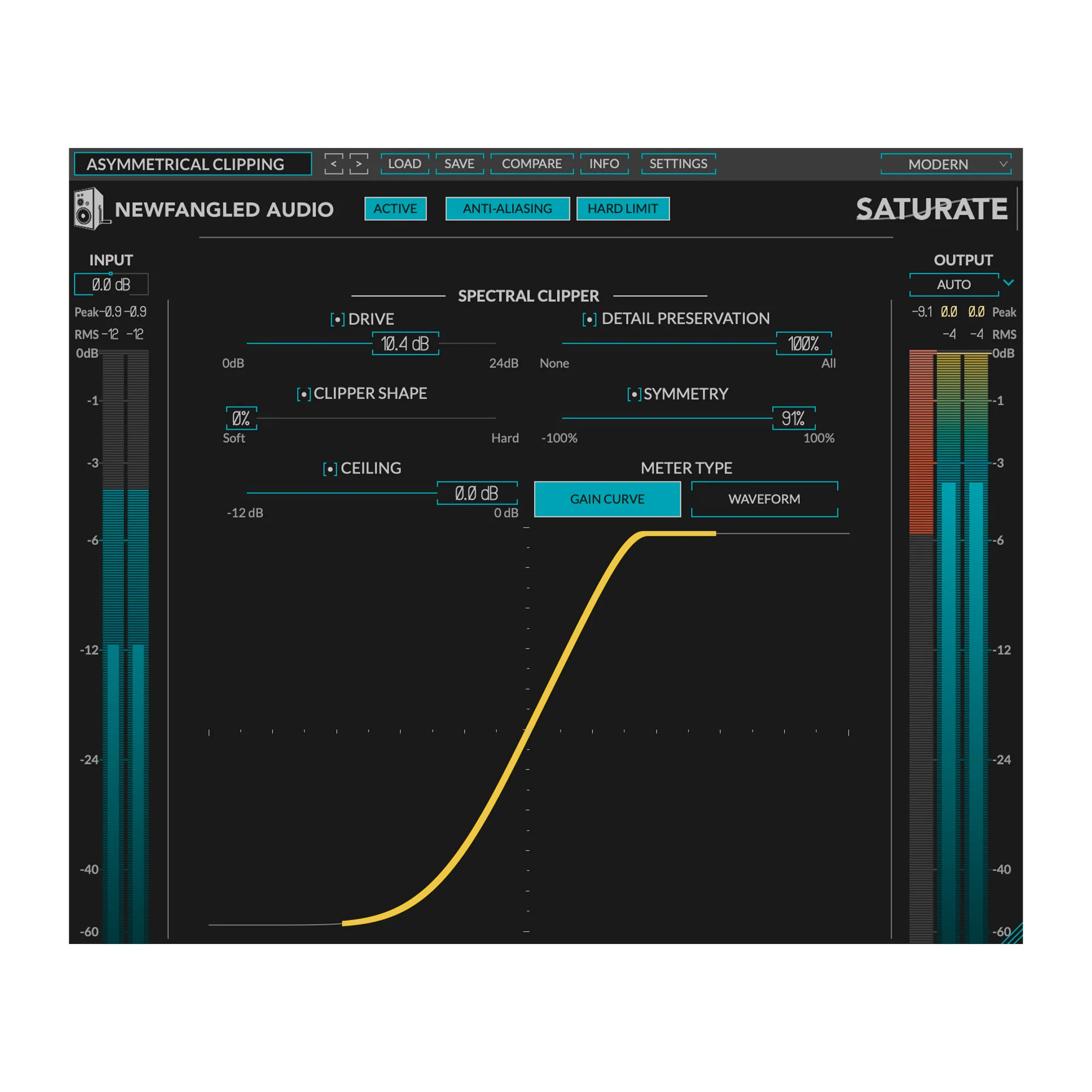
Saturate is the Spectral Clipper algorithm made popular in the Elevate Mastering Limiter. Saturate's two controls belie a sophisticated signal processing engine which allows it to overdrive a signal without effecting the tonal balance no matter how hard you push it. Add up to 24 dB of overdrive without creating a “tubby” or muffled sound. Additionally, the SHAPE control allows you to smoothly morph between hard clipping and the mathematically smoothest curve possible. Use Saturate to overdrive individual tracks or your entire mix.
- Smoothly adjust from the softest to the hardest possible clipping shape
- Spectral Clipper maintains tonal balance for an always pleasant saturation sound
- Independent INPUT and OUTPUT levels, with AUTO output level scaling for easy and precise gain scaling
- Saturation Curve Display and Meter shows you how your signal is hitting the selected clipping shape
- Mastering Quality Input and Output metering show you both peak and rms levels
System Requirements
macOS 10.14+, Intel and Apple Silicon
AAX 64-bit, AU 64-bit, VST3 64-bit
Windows 10+
AAX 64-bit, VST2 64-bit, VST3 64-bit
An iLok account is required, but no physical dongle is necessary.
We test our desktop plug-ins in Ableton Live, Cubase, FL Studio, Logic Pro, Pro Tools, and Studio One. Our plug-ins should work with any compatible host, however we recommend you download a 14-day demo to check before buying.
Original: $49.00
-65%$49.00
$17.15Product Information
Product Information
Shipping & Returns
Shipping & Returns
Description
Spectral Clipper with Overdrive
Saturate is the Spectral Clipper algorithm made popular in the Elevate Mastering Limiter. Saturate's two controls belie a sophisticated signal processing engine which allows it to overdrive a signal without effecting the tonal balance no matter how hard you push it. Add up to 24 dB of overdrive without creating a “tubby” or muffled sound. Additionally, the SHAPE control allows you to smoothly morph between hard clipping and the mathematically smoothest curve possible. Use Saturate to overdrive individual tracks or your entire mix.
- Smoothly adjust from the softest to the hardest possible clipping shape
- Spectral Clipper maintains tonal balance for an always pleasant saturation sound
- Independent INPUT and OUTPUT levels, with AUTO output level scaling for easy and precise gain scaling
- Saturation Curve Display and Meter shows you how your signal is hitting the selected clipping shape
- Mastering Quality Input and Output metering show you both peak and rms levels
System Requirements
macOS 10.14+, Intel and Apple Silicon
AAX 64-bit, AU 64-bit, VST3 64-bit
Windows 10+
AAX 64-bit, VST2 64-bit, VST3 64-bit
An iLok account is required, but no physical dongle is necessary.
We test our desktop plug-ins in Ableton Live, Cubase, FL Studio, Logic Pro, Pro Tools, and Studio One. Our plug-ins should work with any compatible host, however we recommend you download a 14-day demo to check before buying.